Best Beginner motorcycles.
Some questions this article tries to address:
- “Hi, I am thinking of trying out motorcycles, and wanted to understand what type of bike I should get as an entry level rider”
- “I thought of giving riding a shot and wanted to know what you think would be the best bike for me?
- “Do you know any good bikes that would be suited for an entry level rider”
Thus I have decided to write an article on my own opinion regarding what motorcycles I would recommend, to perhaps make it easier for anyone who decides to give this activity a try.
Okay, in ensuring that you are at least ‘aware’ of other sources of information besides my own opinion, here are a few websites which have their own points of view:
- Best Beginner Motorcycles – cool site for reviews on bikes specifically chosen for their use as beginner bikes
- Top ten starter bikes by askmen.com – their opinion on what is best
Besides the above , if you google “best motorcycles for beginners” you will probably come across a ton of forums and websites where this discussion is always being had.
In my opinion, in South Africa (at least) I recommend the following motorcycles:
If you are below or around 60KG in weight and around 1.85m:
- Honda Cbr 125R
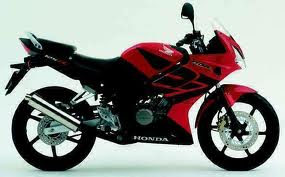
- Honda eStorm
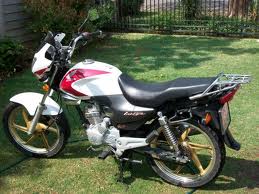
If you are above 60 Kg in weight or taller than 1.9m, or just simply would like a bit more power for the highway
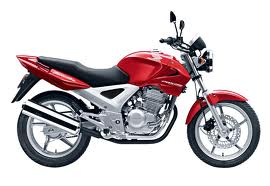
- Honda CBX Twister 250
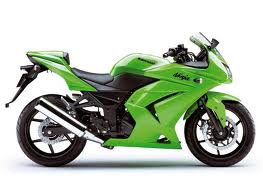
- Ninja 250R
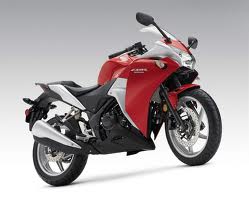
- Honda CBR 250
Do I suggest you go for a bike over 250 when you starting out?
No, why… because that is more than enough power unless you are built like the Hulk. Some guys will tell you go for the VFR 400 (or 400 cc bike equivalents) I don’t support the view however I do understand that some people will not want to go for a small bike in fear that they will outgrow it too fast and hence waste money. Regarding the VFR 400 I think its reliable with great power and value for money however I always suggest learning on the smallest bike that you are happy with (if you can afford changing bikes later) it just makes things easier. My primary motorcycle education was on a 2006 Honda Cbr 125R and there are still times when I think of getting another one, it was just great fun to ride.
Do I suggest you try and buy these bikes second hand?
Yes, when you are learning you generally make mistakes and you do not want to make mistakes with a new bike, it just hurts more :(.
Some of these bikes don’t look as sexy as the bigger bikes except the ninja? Is there anything more pretty looking?
Yes the ninja and (in my opinion the Honda CBRs) are seen as prettier bikes, however this prettiness come from the plastic fairings on the side.When you drop them they cost you (R 500 – R 4000) to fix and tend to make the bike less durable when learning compared to the ‘naked or fairing-less’ bikes. Personally I think the Honda CBX in black is a good mid-point in terms of style and functionality.
Why would you suggest these bikes?
They have enough power (keyword: enough) to learn on, allow the average rider to get both feet down and don’t scare the hell out of you when you are riding (I think the more appropriate term is: instil confidence). Getting both feet down, means the rider can comfortably place both their entire foot flat on the ground due to a lower seat height, this promotes confidence in the learner rider while they are trying to balance and learn the controls.
Do you suggest any courses for the beginner rider?
Yes, definitely most reputable schools offer some or other beginners course which is based on the MRAC (Motorcycle Rider Advancement Course) syllabus.