I originally created this PowerPoint add-in in 2014, however till today… still get requests for it. I just wanted to distribute it in case it might make your life a bit easier.

Continue reading PowerPoint Addin: Send only selected Slides
I originally created this PowerPoint add-in in 2014, however till today… still get requests for it. I just wanted to distribute it in case it might make your life a bit easier.
Continue reading PowerPoint Addin: Send only selected Slides
Introduction:
I wanted to convert a PowerPoint Macro to a PowerPoint Add-in so I could use the same macro code against multiple PowerPoint presentations, regardless of them being macro-enabled or not. For my purposes I needed this done in PowerPoint however I would imagine that the steps would some what similar for Excel and Word. Outlined are the steps I followed after visits to forums and Microsoft documentation.
Continue reading Convert a Macro to an Add-in: Office Applications (Tutorial for PowerPoint)
Mobiola Xplayer (Free from App World)
Alot of you may or may not have realised that Blackberries with OS 5 cannot fast forward in larger than a few second increments. In OS4 you could fast forward a lengthy movie with a few swipes across the trackpad but in OS5 you cannot. Mobiola Xplayer returns this functionality to OS5, allowing you to squiz through videos much faster. It also provides a bookmark feature which comes in handy if you would like to save a position in a video file for later viewing.
Viilingo (Free from App World)
A fast and well-integrated RSS reader for Blackberry, currently go through most of my RSS feeds though this app. Has the ability to connect to Google Reader and share the same feeds.
Gmail application (Free from m.google.com)
A seperate application for Gmail. Some may ask ‘why would you need a Gmail application?’ when you can receive your gmail emails on the blackberry itself. Explanation: The app comes in handy when you want to search your entire Gmail inbox, specifically if you are looking for a really old mail or invoice, as it allows you not only to search but forward the email to another address allowing you to retrieve any mail in your Gmail Account whenever you need it.
Google Sync (Free from m.google.com)
A syncing tool, that allows you to sync the contacts and calendar on your phone with the contacts in your gmail account and calendar with your Google Calendar account. Can be setup to sync periodically.
PDF Creator Ultimate Free (Free from App World)
Allows you to create a pdf from images on your phone, making it easier to email out.
Interval Timer (Premium from App World)
Timer for interval training, can set intervals, warm-up and cool down periods.
News24 app (Free from App World)
News information, like that you can see user pictures uploaded to News 24.
QR Code Scanner Pro (Free from App Word)
Scans and displays the text in QR codes. This is what QR codes look like:
bMind (Premium from App World – last I paid around R 100)
A mindmapping tool for blackberry, compatible with freemind. Allows me to create mindmaps on the move.
repligo Reader (Premium from App World – last I paid around R 100)
The best mobile pdf reader I have used, scales large pdfs well.
Bloomberg Mobile (Free from App World)
Stock markets prices and information from around the world.
Twitter (Free from App World)
Use it to follow my favourite bloggers, news leaks and updates.
SalatMK (Free from App World)
Gives an adequate representation of Muslim Prayer times. Can be set with alarms to remind you to pray, can provide Qibla (prayer) direction based on location)
One Touch Flashlight V2N (Free from App World)
An app that puts the Blackberry screen on and at its brightest. Handy when you don’t have a flash light around.
Google Maps (Free from m.google.com)
A mobile version of the popular Google Maps web app, use it to get me directions and satellite images of areas I don’t know, before I have meetings there.
Rock File Manager (Free from App World)
Handy file manager, with much more features than the standard file browser on the phone.
DropBox (Free from App World)
Use it with my Dropbox account to grab files recently stored on my desktop, for referencing when in meetings or while I am travelling.
Quickpull (Free from App World)
At times your blackberry can get slow or stuck requiring you to open the back cover to pull the battery out to force a restart. Quickpull will fake a battery pull allowing you to restart your blackberry without doing any physical work besides selecting it from the menu.
WiFi File Transfer (Premium from App World – last I paid around R 30)
Creates a HTTP file server on your blackberry that you can connect via wireless to. Can be used to download and upload files directly to your blackberry via a shared wireless network with your pc.
If you are looking for information regarding a specific phone or tablet, I suggest you do the following:
Head over to www.gsmarena.com and use the search box on the top right corner to find the phone you seek information on. The search button is located here:

After you have searched and selected the phone model you will be presented with a screen similar to the one below. Please look in the following corner (arrow in red) for reviews that you can click on.

You ll find that GSM Arena’s reviews are quite comprehensive, and for the non-technically oriented still a good read.
Other sites worth a visit are:
The lightest MP3 player I could find, some reviews claim it to be 6-8 times faster than Winamp – all I can say is that its really fast and simple. If you looking for a fancy graphical interface, do not download this, however if you want speed and something that can run on a netbook or old pc blissfully – this is for you.

Commands to know:
You can download it from here.
Step 1: First head onto www.speedtest.net
You should be greeted with a screen with a Begin button on it like this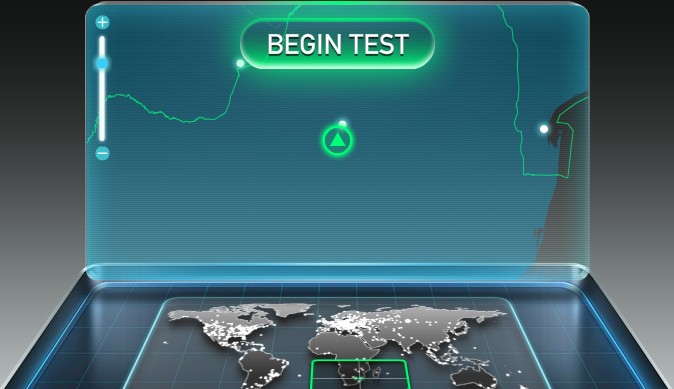
Step 2: Click on the Begin Test button
Your screen should turn to this
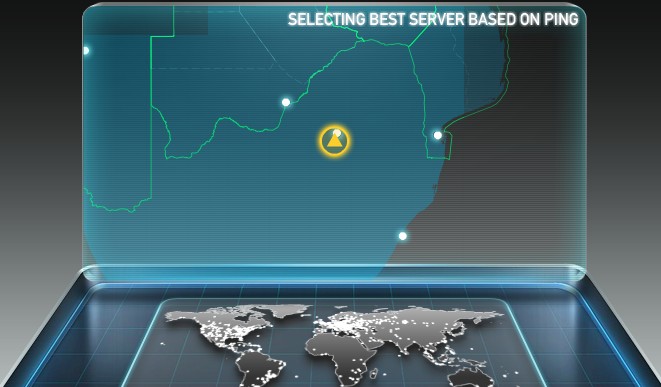
and then this

Step 4: After the whole process completes the web application would have tested your download and upload speeds and given you a screen similar to the one below.

How do you interpret the results?
Speedtest.net provides you with 3 fields of information:
The Technical:
Ping is given in milliseconds. Download and uploaded speed are provided in Mbps (Mega bits per second) NOT MBps (Mega bytes per second) – there is a big difference. Remember small b represents bits and Uppercase B represents bytes.
[For those that would like to skip this explanation, I have provided a link to a bandwidth calculator below, which will do the conversion for you]
1 bit is the smallest store of data on a computer and can only store a ‘1’ or ‘0’. You need 8 bits to give you enough space to store a byte of data. Therefore to convert bit speed into byte speed we need to divide the Mbps rate given by 8. In our example:
5.01 Mbps = 5.01 * 1,000,000 bps (bits per second)
5010000 bps (bits per second) / 8 = 626250 bytes per second
To convert bytes into Kilobytes we divide 626250 / 1000 = 626.25 KBps (Kilobytes per second)
To convert Kilobytes into Megabytes we divide 626.25 / 1000 again = 0.63 MBps (Mega Bytes per second) approx.
For more information on data rate units you can visit the wikipedia page here.
If you would like to rather use a bandwidth calculator to do the work for you, you can find one here.
Any ideas/ comments / suggestions or corrections, please advise in the comments below or email me.